

dsh-annotator · 数据标注模式
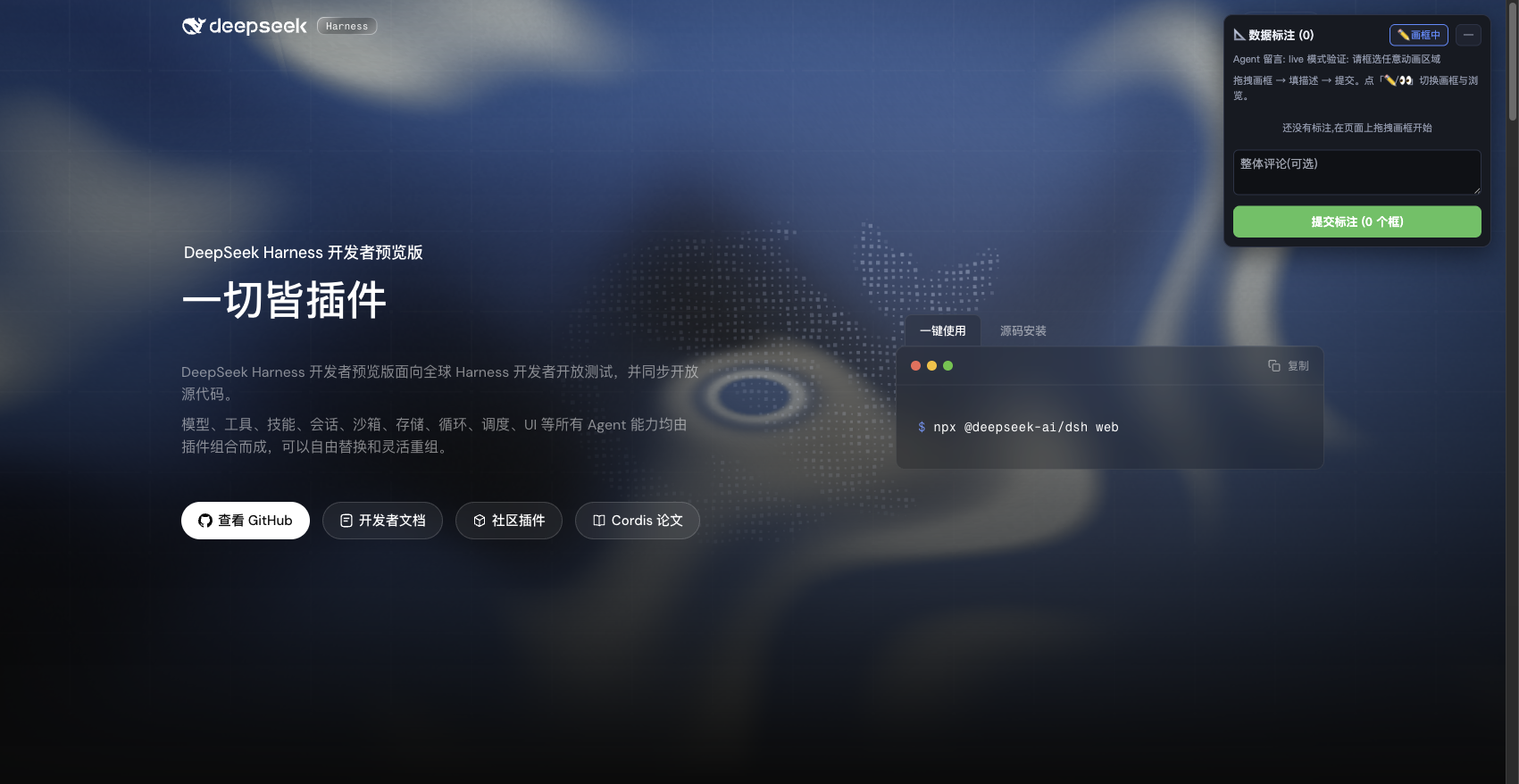
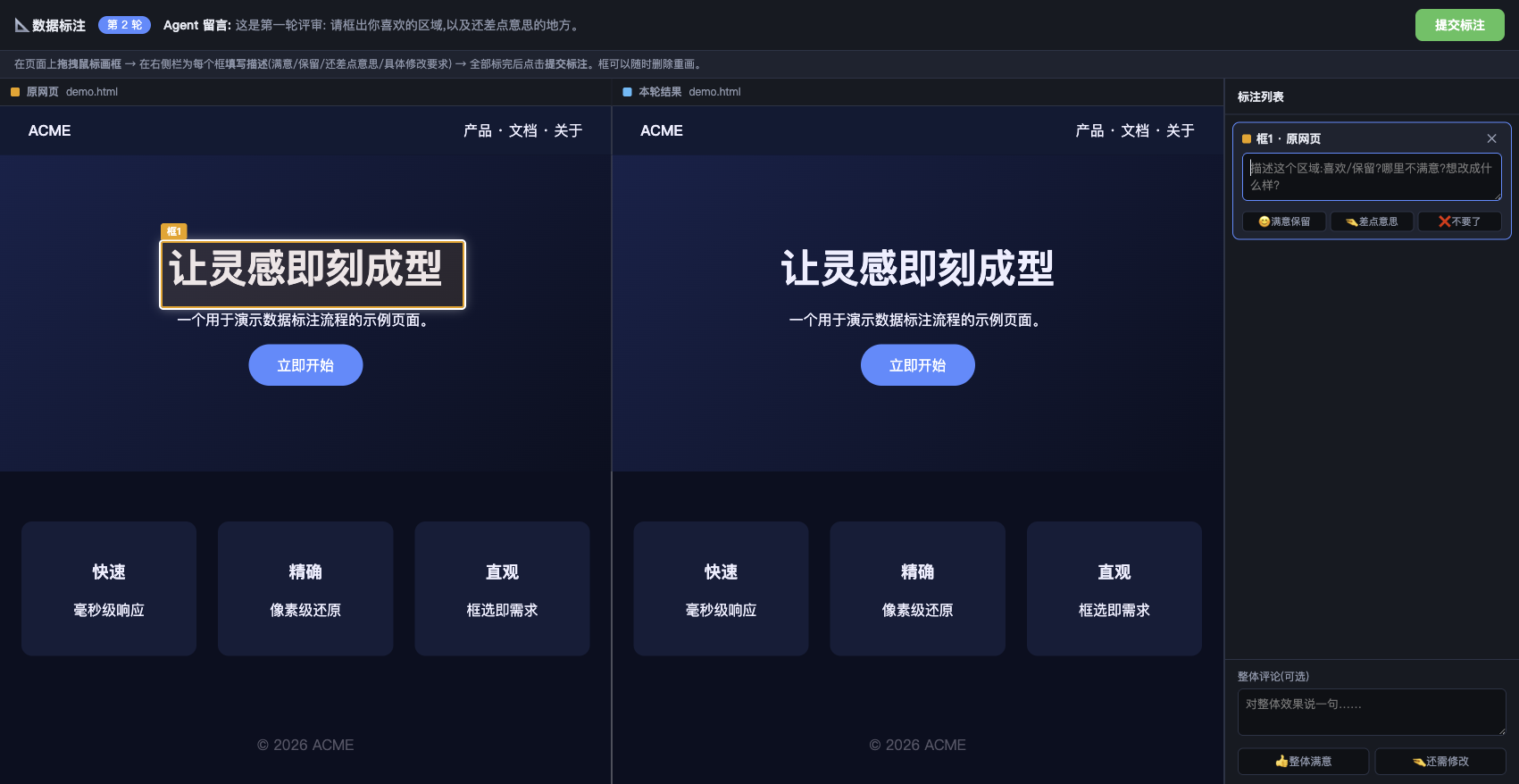
让"提需求"从靠文字猜变成指着画面说:在网页上直接画矩形框 + 填描述,Agent 拿到的不再是模糊的"把上面那个按钮改一下",而是框选位置 + 文字描述 + 命中的 DOM 元素三合一的精确需求。
一个 DeepSeek Harness (dsh) 的 agent preset(代理模式/插件模式),在标准编码 agent 之上叠加一套完整的数据标注交互闭环。
为什么做这个
用纯文字描述视觉需求时,大模型其实是在猜:猜中了你满意,猜错了重来。数据标注把这种猜测消掉——你框选的区域就是需求的位置,你填的描述就是需求的内容,提交时自动附带该区域的 DOM 元素(tag/class/选择器/HTML 片段),Agent 可以直接读到"框1位置"的网页实现代码。
效果
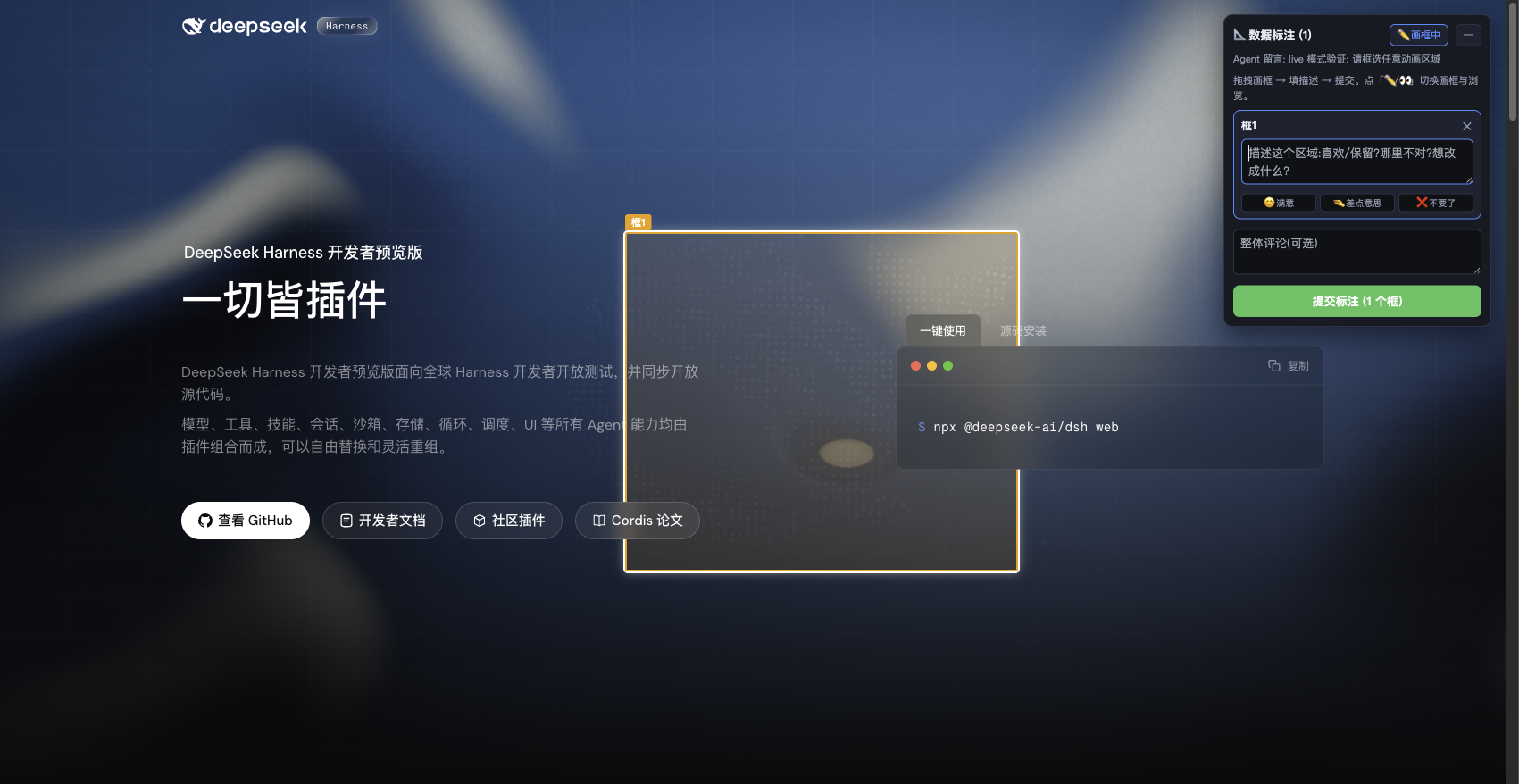
| 代理模式:原网页 vs 结果页对比标注 | live 模式:框选真实页面的动画区域 |
|---|---|
 |  |
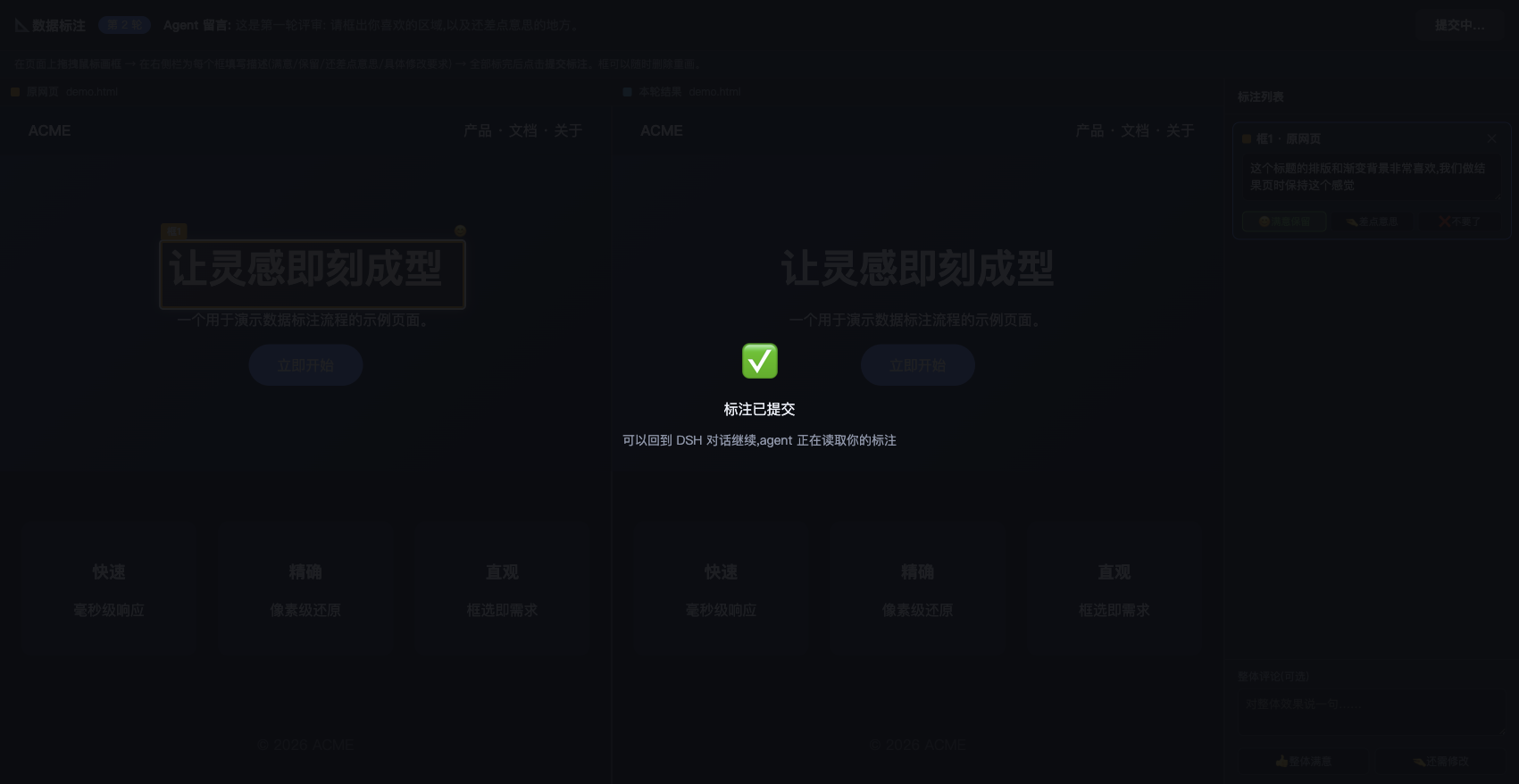
| 提交确认 |
|---|
 |
特性
- 三种标注形态
- 🌐 代理模式(默认):网页 URL / 本地 HTML,标注界面与 dsh GUI 同源,框选自动提取 DOM 元素(IoU 匹配 + 同形去重,canvas/容器优先)
- ⚡ live 真实浏览器模式:通过 ego-browser 打开真实页面注入标注层——动画完整播放、复用登录态;JS 重度站点自动检测自动升级(module scripts /
crossorigin脚本 / SPA 根标记) - 🖼️ 图片/设计稿标注:png/jpg/gif/webp/svg 文件或 URL,框坐标即图片像素
- 对比评审闭环:
compare参数把 Agent 的成果页与原网页并排展示,逐框标记 😊满意保留 / 🤏差点意思 / ❌不要了,多轮迭代直到满意 - 框选生成 E2E 测试:每个框可选测试动作(👆点击 / ⌨️填写 / 👁断言可见 / 🔀断言跳转 / 📝断言文本),配合自动返回的 selector,Agent 直接生成确定性测试步骤
- 复刻提速:标注元素自带关键计算样式(style)、精确尺寸坐标(box)、资源 URL(assets)——Agent 无需重复抓取原站,一轮实现所有框
- 长页面滚轮滚动、取消标注(Agent 端
annotate_collect收到cancelled并重新与你确认目标) - 安全:静态资源限制在目标目录子树(防路径穿越)、提交体大小限制、会话 TTL
快速安装
# 仓库根目录就是一个合法的 dsh preset,直接克隆到 preset 目录即可
git clone https://github.com/heshuren371/dsh-annotator.git ~/.dsh/.agent-presets/annotator
然后:
- 重启 dsh(GUI /
dsh web进程)——preset 的.mjs在进程内只加载一次 - 新建会话,选择 「数据标注模式」
- 直接说:
复刻 https://example.com,或用标注流程评审我的 index.html
手动安装
- 下载本仓库 ZIP 并解压(Code → Download ZIP)
- 把解压后的文件夹重命名为
annotator,整个复制到~/.dsh/.agent-presets/下- 最终路径形如
~/.dsh/.agent-presets/annotator/agent.cordis.yml
- 最终路径形如
- 重启 dsh,同上选择「数据标注模式」
使用流程
你给 URL/文件 → Agent annotate_open 打开标注界面
  → 你画框 + 填描述(可滚轮翻页、可取消)
  → Agent annotate_collect 收到精确需求(位置+描述+DOM)
  → Agent 实现(完整标准编码能力:读写文件/跑命令/起服务)
  → Agent annotate_open(compare=结果页) 请你对比评审
  → 你逐框标记 满意/差点意思 → 迭代收敛
- 代理模式:打开 Agent 发你的链接(与 dsh GUI 同一端口)
- live 模式:到 ego-browser 窗口(任务空间
dsh-annotator)操作,面板有「✏️画框 / 👀浏览」切换
可选依赖:ego-browser
live 模式需要 ego-browser CLI 在 PATH 中(macOS/Linux 经登录 shell 解析,Windows 经 cmd)。未安装时 live 自动回退代理模式并给出警告,其余功能不受影响。
测试
node test/run.mjs # 29 项集成测试(最后一项真实启动 ego-browser,约 10-30s)
架构一句话
preset 行 annotate.mjs 是一个 Cordis host 插件:用 host 的 webServer 服务注册 /annotate prefix 路由(与 GUI 同服务器,零额外端口),用 tools 注册 annotate_open/annotate_collect 两个模型工具,用 systemPrompt 注入标注工作流提示词。代理模式通过抓取 HTML + 注入 <base> 实现同源化;live 模式把 annotate-live.js 注入 ego-browser 的真实页面,提交经 CORS 回传。
兼容性
在 dsh 0.1.0-rc.6 上开发验证。依赖 host 服务:webServer(含 port)、tools、systemPrompt。
Roadmap
- 英文界面(i18n)
- dsh 插件市场上架
- PDF 标注
- live 模式双页对比
License
English Summary
dsh-annotator is a "data annotation" agent preset for DeepSeek Harness. Instead of describing visual requirements in prose (and letting the model guess), you draw rectangles directly on the target webpage/image and attach descriptions; the agent receives exact coordinates plus the DOM elements hit by each box (tag/class/selector/HTML snippet). It supports a proxied annotation workbench, a live mode that injects the overlay into a real ego-browser tab (auto-detected for JS-heavy SPAs), image annotation, side-by-side review rounds, cancel, and wheel scrolling. Install: git clone <repo> ~/.dsh/.agent-presets/annotator, restart dsh, pick the "数据标注模式" preset. MIT licensed.